FAQ
These answers point to the Google Colab notebooks because they are the easiest
way to generate standard census outputs without setting up a local Python
environment. During the refactor, the notebooks install astromol from the
refactor branch. After the package is released on PyPI, the setup cells will
be updated to install the released package.
The latest standard outputs are also generated automatically and published at https://bmcguir2.github.io/astromol/. Use that page when you just want the current standard figure or slide without customization.
How Do I Get The Latest ISM/CSM Cumulative Detections Figure?
Open the Reproduce figures notebook in Colab.
For the standard current output, download it directly from https://bmcguir2.github.io/astromol/figures/png/cumulative_detections.png.
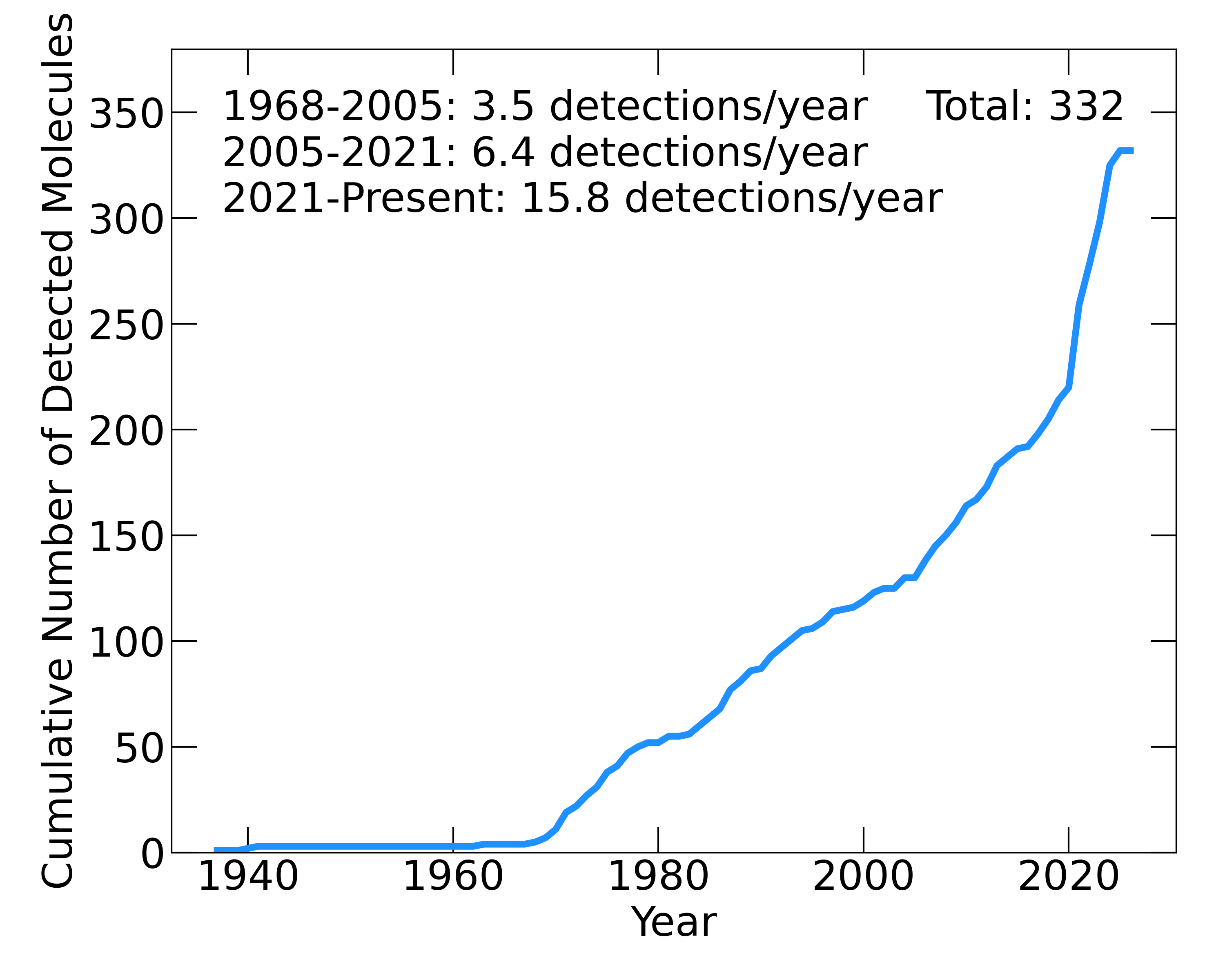
Run the setup and import cells.
In the configuration cell, set
VIEW_CHOICE = "current".Set
OUTPUT_FORMATS = ("png", "pdf")or whichever format you want.Run the Cumulative ISM/CSM detections cell.
Run the final download cell to download the generated file or zip archive.
The same output can be generated locally with:
from pathlib import Path

from astromol.census import CensusView
from astromol.database import Database
from astromol.figures import cumulative_detection_data, write_cumulative_detections_plot

db = Database()
view = CensusView.current(db)
write_cumulative_detections_plot(
    cumulative_detection_data(view),
    Path("cumulative_detections.pdf"),
)
How Do I Get The Latest ISM/CSM Detections Slide?
Open the Tables and slides notebook in Colab.
For the standard current slide, download it directly from https://bmcguir2.github.io/astromol/slides/astro_molecules_current.pptx.
Run the setup and import cells.
In the configuration cell, set
VIEW_CHOICE = "current".Run the slide layout report cell if you want to inspect the planned layout.
Run the PowerPoint slide cell.
Download
astro_molecules_current.pptx.
The notebook uses the production balanced profile for the ISM/CSM molecule
slide.
The same output can be generated locally with:
from pathlib import Path

from astromol.census import CensusView
from astromol.database import Database
from astromol.slides import write_molecule_slide

db = Database()
view = CensusView.current(db)
write_molecule_slide(view, Path("astro_molecules_current.pptx"), profile="balanced")
How Do I Get The Latest Protoplanetary Disk Detections Slide?
Open the Tables and slides notebook in Colab.
For the standard current slide, download it directly from https://bmcguir2.github.io/astromol/slides/ppd_molecules_current.pptx.
Run the setup and import cells.
In the configuration cell, set
VIEW_CHOICE = "current".Run the PowerPoint slide cell.
Download
ppd_molecules_current.pptx.
The PPD slide includes detected isotopologues by default.
The same output can be generated locally with:
from pathlib import Path

from astromol.census import CensusView
from astromol.database import Database
from astromol.slides import write_ppd_detection_slide

db = Database()
view = CensusView.current(db)
write_ppd_detection_slide(view, Path("ppd_molecules_current.pptx"))
How Do I Get Any Of The Other Figures?
Open the Reproduce figures notebook in Colab.
Run the setup and import cells.
Choose
VIEW_CHOICE = "current"for the live database,"2026"for the developing 2026 census view, or"2021"for historical reproduction where supported.Run only the figure cells you want.
Run the final zip/download cell if you want all generated outputs bundled together.
The full local recipe list is in Census Output Recipes. The Custom filtered views notebook shows how to pass a custom database subset into the same figure functions.